サーマルプリンターの寿命は、測定可能な指標(印刷枚数、ランニングメーター、稼働時間)に加え、主要コンポーネントの摩耗という現実的な指標で表されます。これを知ることは、予算、稼働時間、調達に不可欠です。
このブログでは、大手サーマルプリンターメーカーであるアイイン社とともに、寿命の定義、現実的な範囲、寿命を縮める要因のリストアップ、実用的なメンテナンス、監視、交換のガイダンスの方法を探ります。
サーマルプリンタの "寿命 "の定義について
「サーマルプリンターの寿命」は、文脈によって異なる意味を持つ:
- カレンダー生活 - 勤続年数(例:3~7年)。
- 運用指標 - 1日あたりの印刷枚数、ヘッドに通紙されたメディアのメートル(km)、またはサーマルパルス/ドットサイクルの合計。
- パフォーマンスのしきい値 - 印刷品質またはファーストスキャンバーコード率が許容レベル以下に低下した場合。
オペレーションについては、1回限りの指標(年)と1つのアクティビティ指標(印刷枚数/日またはメーター稼働)を組み合わせる。これにより、予算と運用の両方が可視化される。
コンポーネントレベルの寿命(実際に故障が発生する場所)
プリンターの故障のほとんどは部品固有のものである:
- プリントヘッド最も摩耗しやすい。ベンダーのヘッド評価 kmのメディア(50~150km) または 数千万から数億の熱パルス.メディアとクリーニングの質は、これを劇的に変える。
- プラテンローラー&フィード大量に使用する現場では、数年ごとに交換することを想定してください。
- モーター/ギア機械部品は通常何年も使えるが、連続的に大きな負荷がかかると故障することがある。
- エレクトロニクス/電源コンデンサーや基板は数年後に故障することがある。
- バッテリー(モバイルプリンター)バッテリーの容量は通常、次のように低下します。 1~3年サイクルによって異なる。
一般的なサーマルプリンタの寿命範囲
これらは通常のメンテナンスと平均的な使用における目安である:
- デスクトップ/POSプリンタ 耐用年数は3~5年。
- 産業用プリンター: メンテナンスが行き届いていれば5~10年(より頑丈な造り、交換可能な部品)。
- プリントヘッド: 50~150kmのメディアまたは同等のドットサイクル(メーカーによって異なる)。
- 移動ユニット: 本体は2~4年。バッテリーはもっと早く交換できる。
これらは大まかな目安であり、使用量やメディア、環境によって異なります。
寿命を縮めたり延ばしたりする要因
サーマルプリンターの寿命には、いくつかの制御可能な変数が大きく影響している:
- プリント強度: A 1日のプリント枚数が多いと、摩耗がひどくなる。
- 印刷メディアの品質: 汚れた紙や研磨剤は印字ヘッドの寿命を著しく縮めます。
- 環境: ほこり、高湿度、極端な温度、化学薬品は故障を加速させる。
- 設定だ: 過暗または高印字率は熱ストレスを増加させる。
- メンテナンス 定期的な洗浄と正しい装填は寿命を延ばすが、怠ると寿命を縮める。
全体的な寿命を最適化し、総所有コスト(TCO)を削減するためには、これらの変数を調整することが望ましい。
プリンターの寿命が近づいているサイン
このような症状を見逃さないようにしよう:
- 視覚的欠陥白線、縦の死角、不均一な密度。
- 機能的な問題バーコードの読み取り失敗率が上がったり、文字がかすれたりする。
- 経営動向再印刷率とサービスコールが増加し、MTTRが上昇する。
- 定量的トリガー例えば、ファースト・スキャン・レートを下回った場合など 95% 掃除しているにもかかわらず→ヘッドの健康状態を調べる。
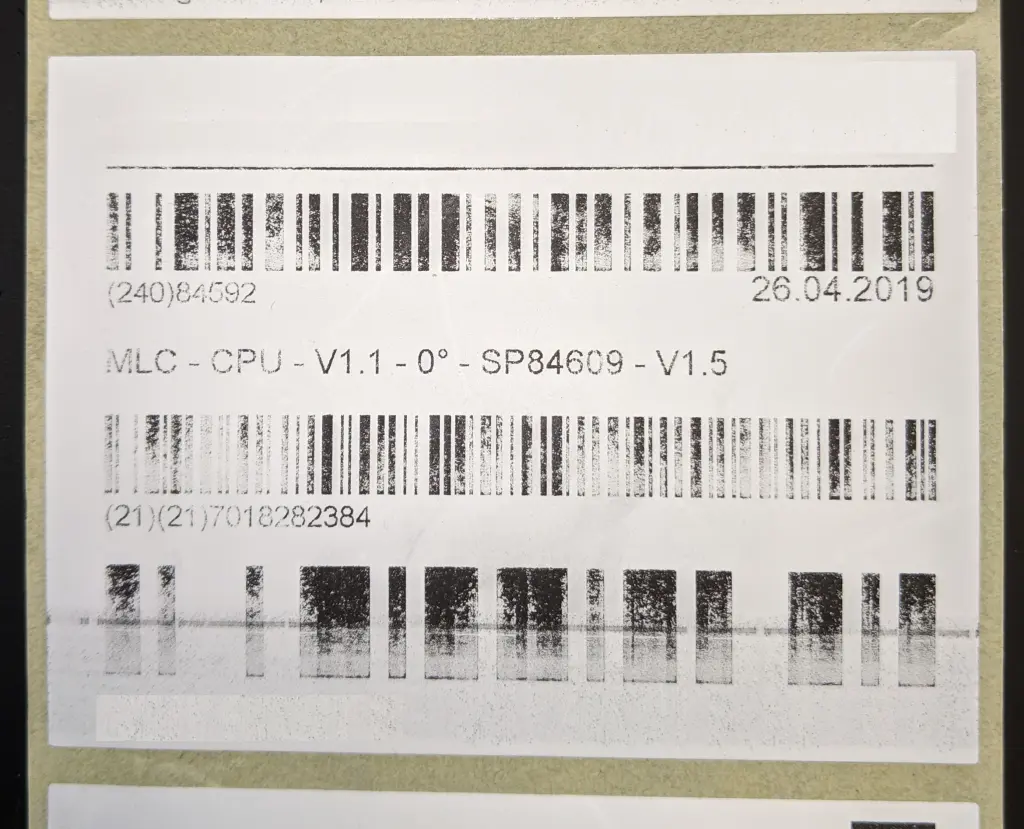
クリーニングやキャリブレーションを行った後でも、このような現象が繰り返し現れる場合は、修理または交換を計画してください。
寿命を最大限に延ばすためのメンテナンスとベストプラクティス
短時間で効果的なメンテナンスを行うことで、サーマルプリンターの寿命が延びます:
- デイリー/シフトチェック印字ヘッドとプラテンが汚れている場合は拭いてください。
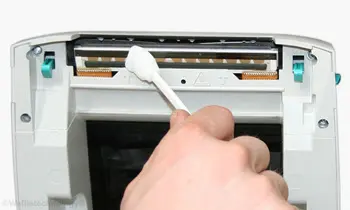
- ロールごと/交換ごとイソプロピルアルコールワイプで印字ヘッドをクリーニングし、用紙経路のゴミを取り除きます。
- 毎週/毎月ローラーの検査、ファームウェアのチェック、センサーのアライメントの確認。
- 消耗品管理承認されたメディアとリボンを標準化する。
- オペレーター・トレーニング: 適切な装填、印刷面に触れないようにすること、基本的なトラブルシューティング。
これらのステップにはほとんど時間がかからないが、寿命は大幅に延びる。
買い替えの決定とTCO
修理費用+ダウンタイムリスク≧期待耐用年数で償却した新しいユニット費用となったときに交換する。検討する:
- ダウンタイムの頻度とコスト。
- 消耗品コストと再印刷の無駄。
- 新モデルが有意義な進歩をもたらすかどうか(スピード、接続性、電力効率)。
結論
サーマルプリンターの寿命は管理可能であり、不思議なものではありません。キロメーターなどの寿命指標を定量化し、印字ヘッドなどのコンポーネントの事前メンテナンスに重点を置くことで、ユニットの機能寿命を大幅に延ばし、総所有コスト(TCO)を削減することができます。最終的には、高騰する修理費用やダウンタイムのリスクが、新しい投資の長期的価値を上回る場合に、ユニットを交換します。
アイインについて
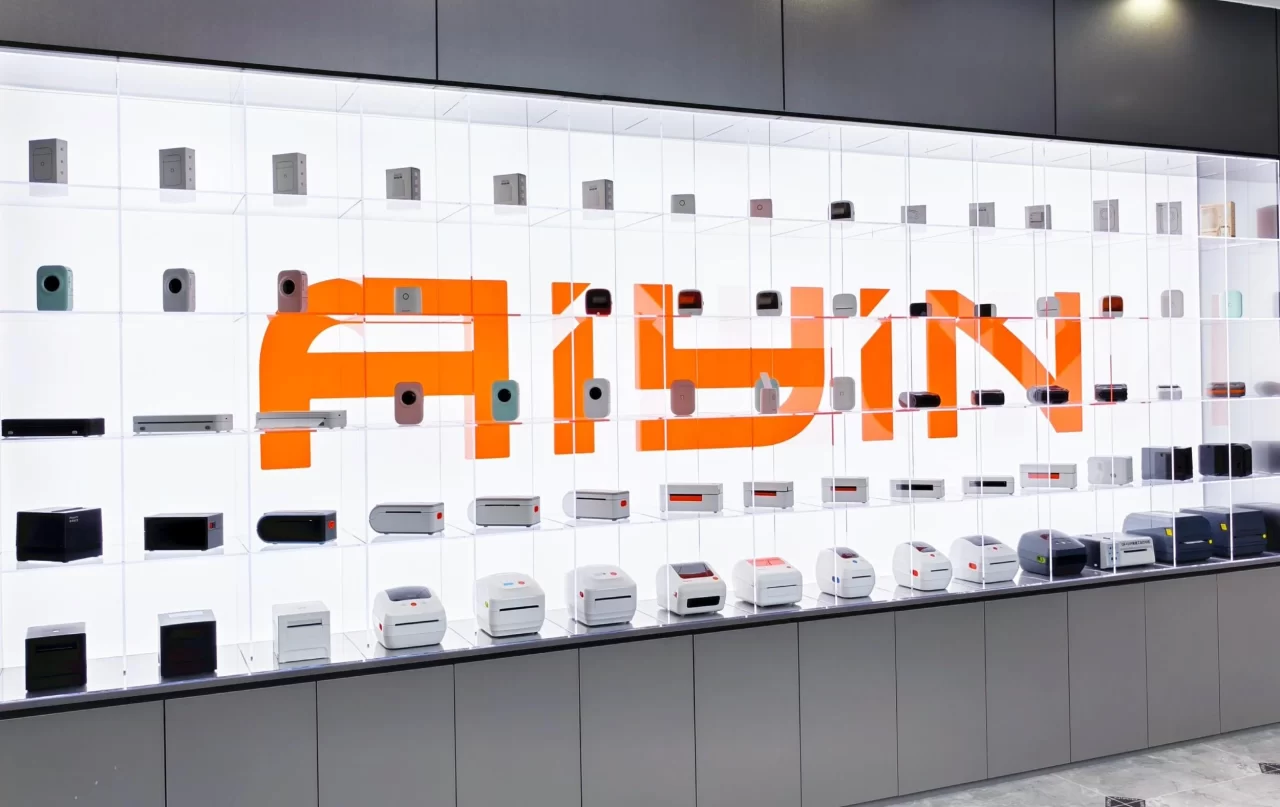
アイインは 大手サーマルプリンターメーカー グローバルパートナーに信頼される印刷機器を提供します。大規模な生産能力と効率的なロジスティクスで、以下をサポートします。 卸売サーマルプリンター 競争力のある価格と迅速な納期で供給します。
として カスタムサーマルプリンターソリューション サプライヤーまた、小売業や物流業から産業用途に至るまで、多様なビジネスニーズに合わせて設計や機能をカスタマイズし、安定した品質と信頼性の高い納品をお約束します。