Knowing how to choose a mini label printer for retail starts with understanding what your store actually needs to print. A compact device may be convenient for pricing products, organizing stockrooms, and identifying inventory, but its suitability depends on label dimensions, content requirements, and daily workflows.
The right mini label printer for small retail stores should meet four requirements: sufficient print width, reusable templates, compatible and readily available consumables, and satisfactory sample printing results.
Rather than comparing printer specifications alone, start with three representative labels from your store and use them to evaluate potential devices.
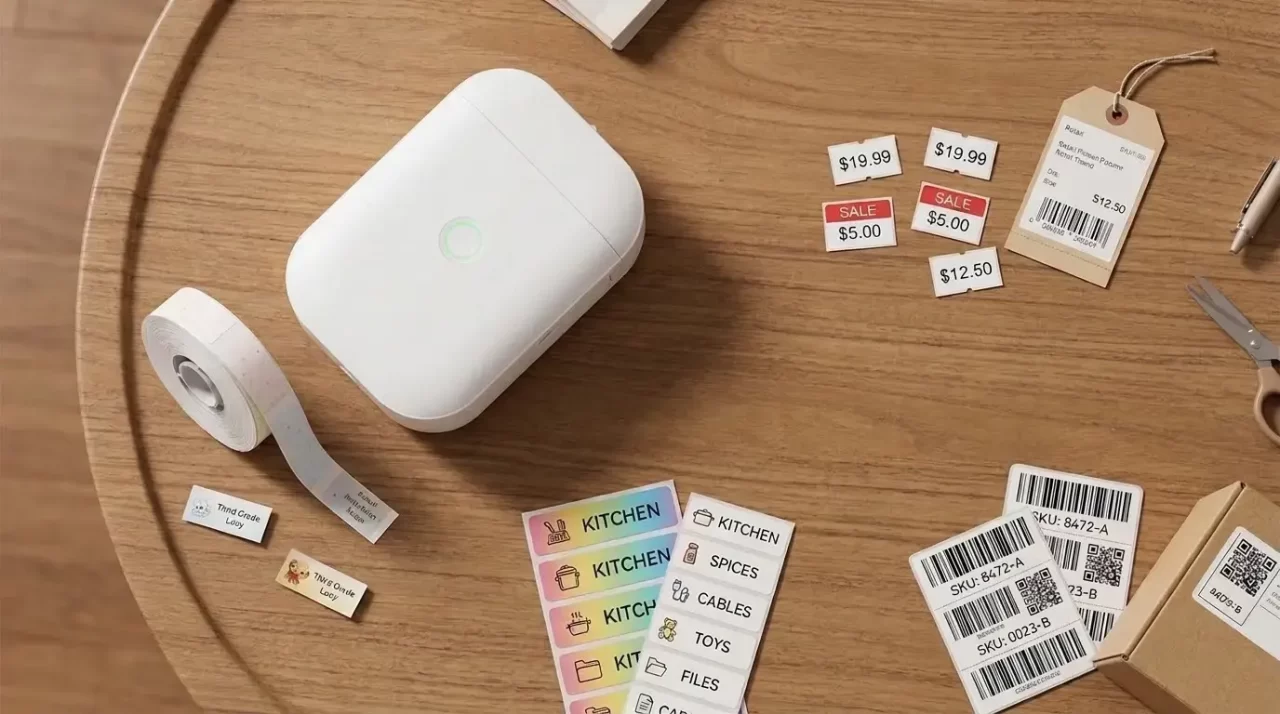
Start with the Three Types of Labels Your Store Needs
Before selecting a retail label printer, identify the information each label must communicate, where it will be applied, and how frequently it needs to be replaced.
Shelf Price Tags
Shelf price tags help customers identify products and understand their prices. Depending on the merchandise, a label may include:
- Product name and selling price
- Size, color, or product variant
- Promotional price or other essential information
A small price sticker attached to a jewelry item requires considerably less printing space than a shelf label displaying a product name, price, and promotional details.
Prepare a sample containing the longest product name and the most detailed pricing information your store regularly uses.
Organization and Stockroom Labels
Organization labels identify storage bins, stockroom shelves, drawers, and merchandise categories.
These labels generally prioritize clear text and easy identification rather than detailed product information. However, their suitability also depends on adhesion and durability.
For example, a label applied to a smooth plastic container may behave differently from one attached to a rough cardboard surface. Test the label material on its intended surface before selecting consumables.
SKU Barcode Labels
A stock keeping unit (SKU) is an identifier used to distinguish products or product variants within an inventory system. A barcode provides a machine-readable way of representing data.
SKU barcode labels may contain an internal product identifier, a barcode, and human-readable information.
However, an internal inventory barcode is not necessarily equivalent to a standardized UPC or EAN barcode used at retail checkout. Confirm which barcode format your inventory or point-of-sale (POS) system requires before choosing a printer.
Match the Label Layout to the Printer’s Effective Print Width
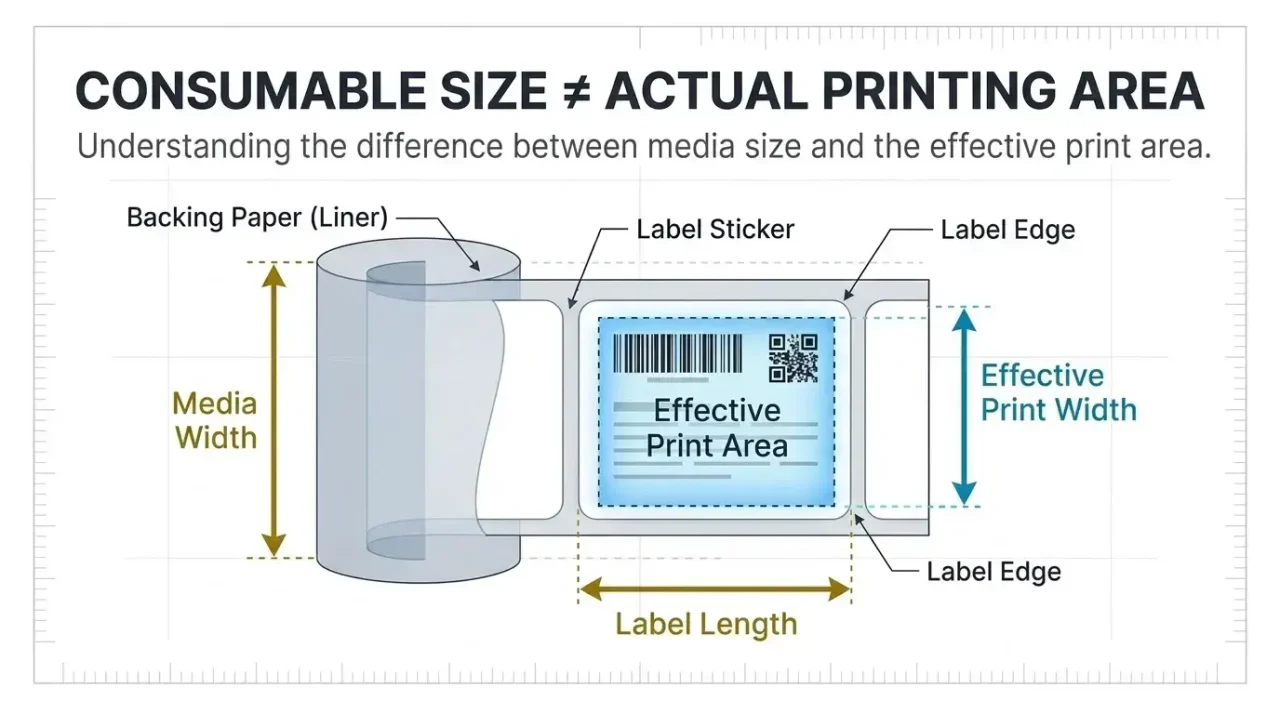
A printer’s supported label size does not necessarily represent its usable printing area.
Three dimensions should be considered:
| Dimension | What It Determines |
|---|---|
| Media width | The width of the label material the printer accepts |
| Effective print width | The maximum width available for printed content |
| Label length | The available layout space along the paper feed direction |
Increasing label length can provide additional space for arranging text or rotating a barcode. However, it cannot automatically compensate for insufficient effective print width.
For shelf price tags, insufficient printing space may require smaller text or the removal of important product information. For SKU barcode labels, excessive compression may reduce scanning reliability.
Avoid shrinking a barcode simply to fit a narrow label. If the required information cannot fit while maintaining appropriate barcode dimensions and readable text, consider a wider printer.
Understanding gängige Druckgrößen von Thermodruckern can help you narrow down the appropriate equipment category before comparing individual models.
Check Whether Label Templates Can Be Reused Easily
Retail labeling involves repetitive tasks. Employees may update prices, introduce new products, or replace damaged labels throughout the week.
Reusable label templates apply a simple principle of process standardization: keep the layout consistent while changing only the necessary information.
| Fixed Layout Elements | Variable Information |
|---|---|
| Font and text alignment | Product name |
| Price field position | Selling price |
| Barcode position | Barcode data |
| Label dimensions | SKU or product variant |
When evaluating a printing application, create a representative template and check whether employees can save, reopen, and modify it without rebuilding the entire layout.
Test longer product names and different price values to determine whether the design remains readable.
Unser AiYin label printing app provides a mobile software option for compatible devices. However, features such as template storage, cross-device sharing, data import, and POS integration should be verified for the selected model and application version.
A suitable printing workflow should allow staff to reproduce consistent labels without unnecessary editing.
Evaluate Label Roll Compatibility and Replenishment
A label printer remains useful only when suitable consumables are available.
When evaluating thermal label rolls, consider both physical compatibility and supply continuity.
Physical compatibility includes label dimensions, roll diameter, core size, label detection method, and adhesive properties. For organization labels and product stickers, the material must also suit the intended surface and usage environment.
Wir bieten mini thermal printer paper rolls in dimensions including 15 × 30 mm, 15 × 40 mm, and 15 × 50 mm at the same time. Confirm compatibility with the selected printer before ordering.
Consider the Cost per Usable Label
Consumable costs contribute to a printer’s total cost of ownership. Comparing roll prices alone can be misleading.
A more practical measure is the cost per usable label, calculated by dividing the roll price by the number of acceptable labels produced.
Consider the following illustrative example:
| Kostenfaktor | Roll A | Roll B |
|---|---|---|
| Roll price | $2.00 | $2.40 |
| Total labels | 200 | 300 |
| Usable labels | 180 | 285 |
| Cost per usable label | $0.0111 | $0.0084 |
Although Roll B costs more upfront, its cost per usable label is lower in this hypothetical comparison.
Also confirm ordering quantities, replenishment lead times, and availability of frequently used label sizes. A low-cost printer offers limited value if compatible consumables are difficult to obtain.
Use Three Sample Labels to Test and Compare Mini Label Printers
The most practical way to determine how to choose a mini label printer for retail is to evaluate actual printed samples rather than relying entirely on specifications.
Prepare representative price, organization, and barcode labels using your store’s real content. Include the most demanding layout you regularly need.
Use the following evaluation matrix to compare candidate printers.
| Evaluation Criteria | Shelf Price Tags | Organization Labels | SKU Barcode Labels |
|---|---|---|---|
| Layout fit | Essential product and price information fits | Text fits without truncation | Complete barcode and required blank spaces fit |
| Readability | Prices are clear at the intended viewing distance | Staff can identify items easily | Required human-readable data remains clear |
| Template reuse | Prices can be updated consistently | Storage names can be changed easily | Barcode data can be replaced accurately |
| Medienkompatibilität | Label suits the display surface | Label adheres to storage surfaces | Label suits the product or packaging |
| Consumable availability | Required sizes can be replenished | Suitable materials remain available | Compatible barcode label stock is obtainable |
| Operational test | Printed price matches the product record | Label remains suitable during expected use | Scanned data returns the correct product record |
Record each result as Pass, Fail, or Pending.
For barcode labels, print multiple samples and test them using the scanner and inventory or POS system intended for actual operation. Successful scanning is a useful functional check, but it does not replace formal barcode quality verification where required.
If a retail label printer fails an essential requirement, adjust the template or consumable and retest. If the problem remains unresolved, consider another printer.
Only compare price, portability, and convenience after confirming that the equipment can perform its required tasks.
When Is a Mini Handheld Label Printer the Right Choice?
A mini handheld label printer is worth considering when a store primarily needs compact labels, occasional price updates, stockroom identification, and flexible printing across different locations.
Unser D11 Pro mini handheld label printer is a compact Bluetooth-enabled model that works with the AiYin mobile app and supports printing text, barcodes, and QR codes.
It is a candidate for simple price stickers, narrow organization labels, and small barcode labels that meet the store’s layout and scanning requirements.
However, stores requiring detailed product descriptions, larger barcode symbols, or multiple information fields may benefit from a wider printing format.
Unser B23 2-inch portable barcode label printer provides another option for evaluating larger label layouts. Stores with more demanding operational requirements can also explore AiYin’s range of business label printers.

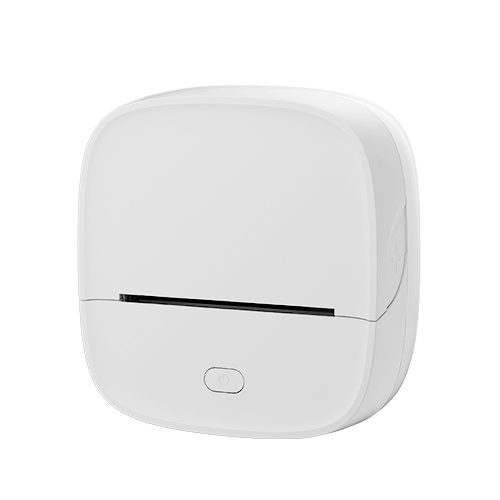
A small store does not necessarily need one printer for every task. A handheld device for quick relabeling and a wider printer for detailed product labels can be a practical combination when their respective workloads justify the investment.
Conclusion: Choose the Printer Around Your Store’s Actual Labels
Choosing a mini label printer for a small retail store requires more than comparing size, price, and connectivity.
Start with representative label samples, confirm the available printing area, evaluate template reuse, check consumable availability, and validate the printed results under actual operating conditions.
AiYin offers compact handheld printers, wider business labeling equipment, and related consumables for different labeling needs. Share your required label dimensions, sample layouts, and barcode formats with AiYin to discuss which printing solution best fits your retail workflow.