Printer struk merupakan salah satu komponen perangkat keras terpenting dalam sistem kasir ritel. Meskipun mencetak struk mungkin tampak seperti tugas yang sederhana, perusahaan mengandalkan perangkat ini ratusan atau bahkan ribuan kali setiap hari.
Sebuah yang bagus printer tanda terima termal Bukan sekadar perangkat yang mencetak struk. Perangkat ini harus menawarkan kinerja yang cepat, pengoperasian yang stabil, integrasi yang mudah dengan sistem POS, serta ketahanan yang andal untuk lingkungan komersial.
Bagi pembeli ritel, distributor, dan pemilik merek, memahami faktor-faktor kunci ini membantu memastikan bahwa mereka memilih produk yang tepat untuk keperluan bisnis jangka panjang.
Jika Anda sedang mencari printer struk dan solusi POS yang andal, silakan hubungi kami. Sebagai salah satu penyedia terkemuka produsen printer struk di Tiongkok, kami menyediakan dukungan profesional dan solusi yang disesuaikan untuk memenuhi kebutuhan bisnis Anda.
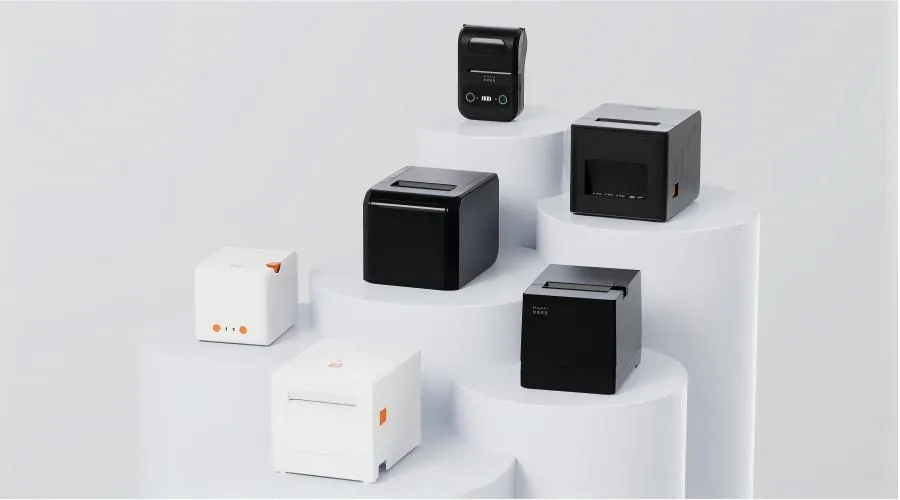
7 Fitur Utama yang Menandai Printer Struk Kasir yang Baik
Kecepatan Cetak yang Tinggi untuk Lingkungan Kasir yang Sibuk
Kecepatan cetak merupakan salah satu faktor terpenting bagi printer struk yang cepat, terutama di bisnis dengan jumlah pelanggan yang tinggi.
Pada jam-jam sibuk, kasir mungkin harus memproses puluhan transaksi dalam waktu singkat. Printer yang lambat dapat menyebabkan keterlambatan yang tidak perlu dan memengaruhi kepuasan pelanggan.
Printer struk ritel yang tepat sebaiknya memiliki fitur-fitur berikut:
- Pencetakan struk yang cepat
- Kinerja yang stabil selama proses pencetakan berkelanjutan
- Respon cepat setelah menerima perintah cetak
Supermarket, restoran, dan toko-toko yang ramai biasanya membutuhkan model dengan kecepatan lebih tinggi dibandingkan dengan toko ritel kecil.
Kinerja Pencetakan Termal yang Andal
Sebagian besar printer struk modern menggunakan teknologi pencetakan termal karena teknologi ini menawarkan beberapa keunggulan dibandingkan pencetakan tradisional berbasis tinta.
Printer termal bekerja dengan cara memancarkan panas ke kertas termal yang dilapisi khusus, sehingga tidak memerlukan kartrid tinta atau pita.
Manfaatnya antara lain:
- Biaya operasional yang lebih rendah
- Lebih sedikit perawatan
- Pengoperasian alat pembersih
- Kualitas cetak yang konsisten
Untuk aplikasi komersial, kinerja termal yang andal sangat penting karena printer mungkin beroperasi tanpa henti sepanjang hari.
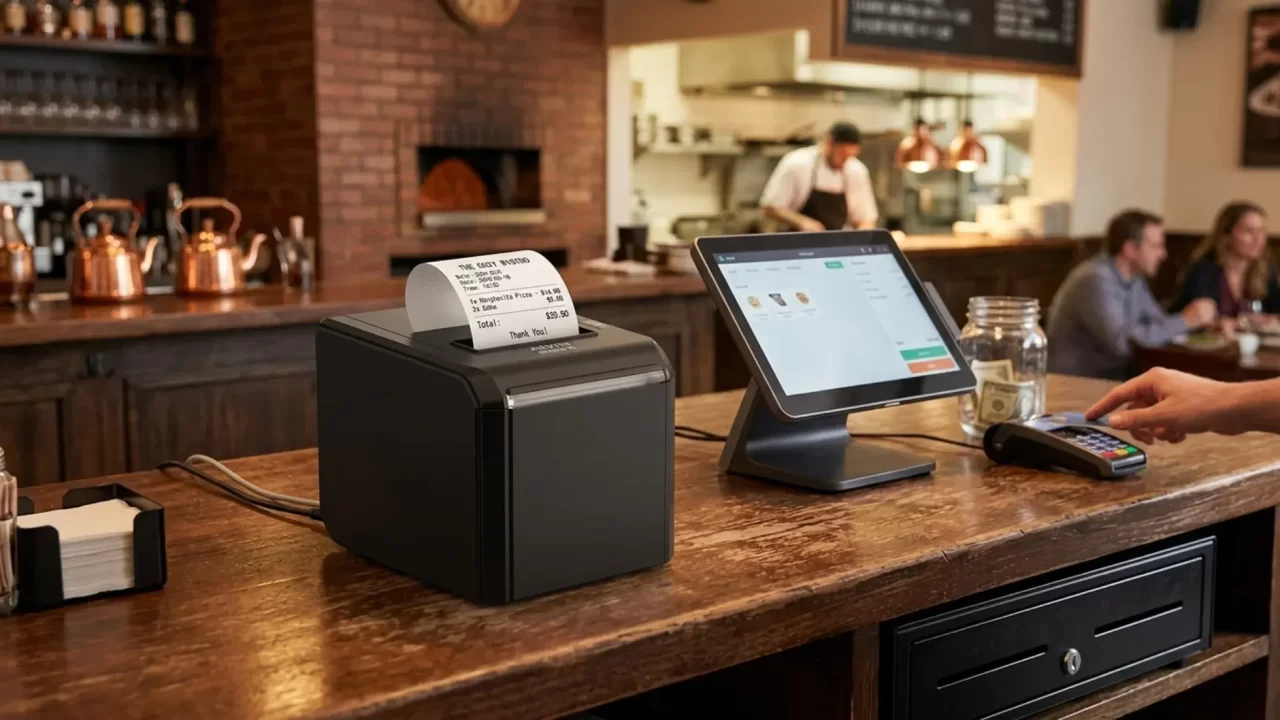
Kompatibilitas yang Tinggi dengan Sistem POS
Printer struk POS yang baik harus dapat beroperasi dengan lancar bersama sistem ritel yang sudah ada.
Sebelum membeli, perusahaan sebaiknya memeriksa kompatibilitasnya dengan:
- Perangkat lunak POS
- Sistem operasi
- Terminal pembayaran
- Sistem manajemen ritel
Printer yang memiliki kompatibilitas tinggi dapat meminimalkan masalah pemasangan dan memudahkan perusahaan untuk mengintegrasikannya ke dalam alur kerja yang sudah ada.
Bagi para distributor dan integrator sistem, menawarkan produk yang memiliki kompatibilitas luas juga dapat mempermudah pemasaran solusi di berbagai pasar.
Beragam Pilihan Konektivitas
Setiap jenis usaha memerlukan metode koneksi yang berbeda-beda.
Printer struk modern mungkin mendukung:
- Koneksi USB
- Ethernet/LAN
- Bluetooth
- Wi-Fi
Printer struk USB cocok untuk konter kasir tetap konvensional, sedangkan model Bluetooth dan nirkabel menawarkan fleksibilitas yang lebih besar untuk aplikasi POS seluler.
Bagi restoran, kafe, dan usaha kecil, konektivitas nirkabel dapat mempermudah proses pemasangan dan memungkinkan penempatan yang lebih fleksibel.
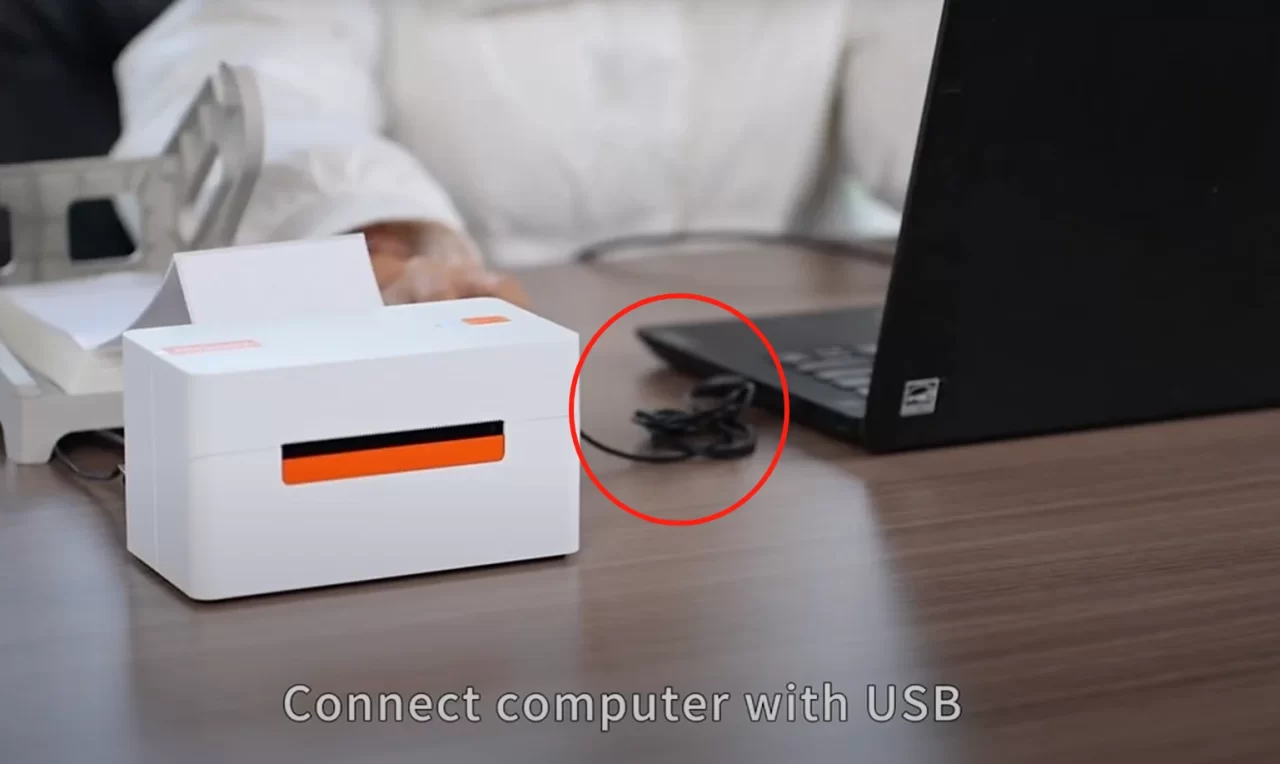
Desain Tahan Lama untuk Penggunaan Komersial Jangka Panjang
Lingkungan ritel memerlukan perangkat keras yang mampu menangani penggunaan yang intensif.
A printer struk komersial harus dirancang untuk:
- Volume pencetakan yang tinggi
- Penggunaan harian yang berkelanjutan
- Komponen internal yang stabil
- Umur pakai yang panjang
Kualitas komponen internal, kepala cetak termal, dan struktur mekanis secara langsung memengaruhi keandalan.
Bagi perusahaan, memilih printer yang dirancang untuk keperluan komersial lebih penting daripada memilih model murah yang ditujukan untuk penggunaan sesekali.
Pengoperasian dan Pemeliharaan yang Mudah
Kemudahan penggunaan merupakan faktor penting lainnya dalam hal peralatan kasir.
Sebuah printer struk yang dirancang dengan baik sebaiknya dilengkapi dengan fitur-fitur seperti:
- Penggantian kertas yang sederhana
- Deteksi kertas otomatis
- Pemecahan masalah yang mudah
- Fungsi pemotong otomatis (opsional)
Fitur-fitur ini mengurangi waktu henti dan memungkinkan karyawan untuk dengan cepat mengatasi masalah umum tanpa bantuan tim dukungan teknis.
Biaya Operasional Rendah
Total biaya kepemilikan merupakan pertimbangan penting bagi pembeli dari kalangan bisnis.
Printer termal yang baik untuk sistem POS seharusnya dapat membantu mengurangi pengeluaran jangka panjang melalui:
- Bahan habis pakai yang terjangkau
- Konsumsi energi yang rendah
- Persyaratan perawatan yang minimal
- Performa yang andal
Meskipun harga pembelian memang penting, perusahaan juga perlu mengevaluasi biaya operasional selama masa pakai printer tersebut.
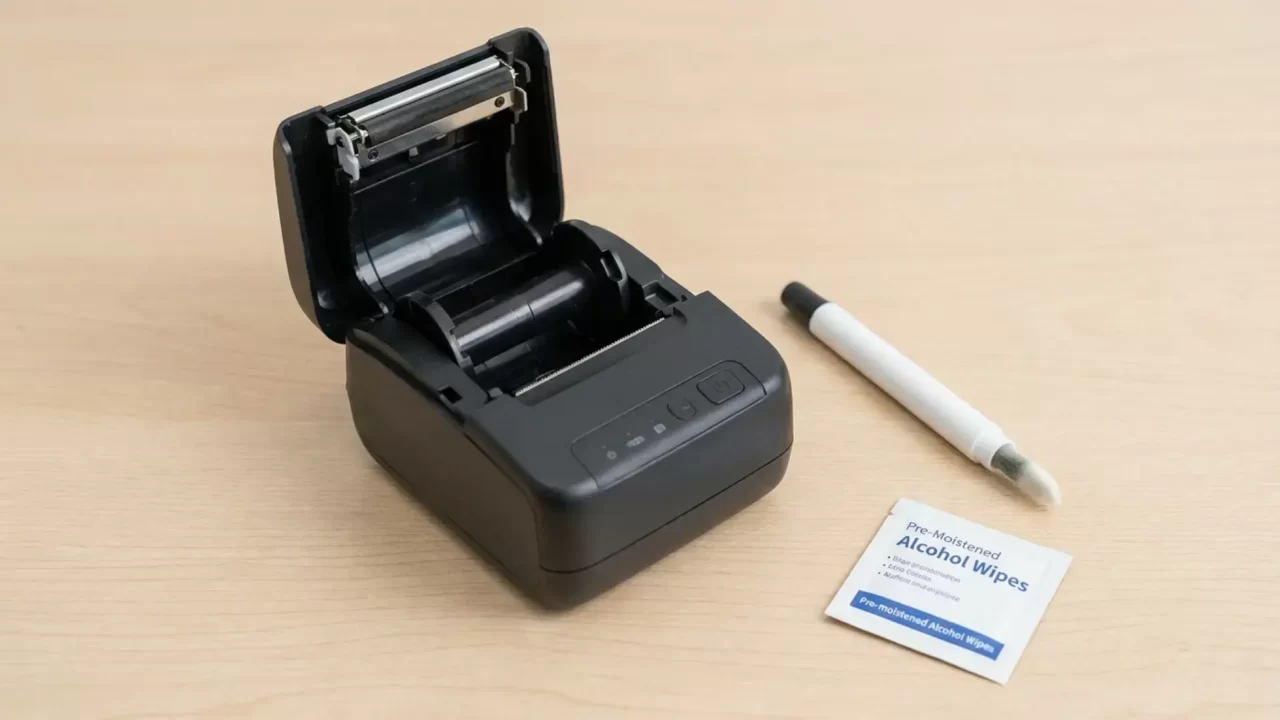
Spesifikasi Printer Struk yang Harus Dibandingkan oleh Pembeli Ritel
Sebelum membeli printer struk, pembeli sebaiknya membandingkan beberapa spesifikasi teknis.
Kecepatan Pencetakan
Kecepatan pencetakan biasanya diukur dalam milimeter per detik (mm/s).
Model dengan kecepatan lebih tinggi lebih cocok untuk:
- Supermarket
- Restoran
- Toko dengan volume penjualan tinggi
Usaha kecil dengan volume transaksi yang lebih rendah mungkin tidak memerlukan kecepatan pencetakan tertinggi.
Lebar Cetak dan Resolusi
Printer struk umumnya tersedia dalam berbagai lebar kertas, dengan 58 mm dan 80 mm sebagai pilihan yang paling umum.
Printer 58 mm:
- Lebih ringkas
- Cocok untuk usaha kecil
Printer 80 mm:
- Berikan struk dengan ukuran yang lebih besar
- Lebih baik untuk informasi lebih lanjut
- Sering ditemui di supermarket dan restoran
Resolusi juga memengaruhi kejernihan teks dan kemudahan pembacaan kode batang.
Kompatibilitas Kertas
Kompatibilitas kertas memengaruhi kenyamanan sehari-hari.
Perusahaan sebaiknya mempertimbangkan:
- Ukuran kertas yang didukung
- Ketersediaan kertas termal
- Biaya penggantian gulungan
Printer yang menggunakan ukuran kertas yang umum tersedia biasanya lebih mudah dirawat.
Antarmuka dan Konektivitas
Konektivitas harus sesuai dengan lingkungan bisnis.
Misalnya:
- USB cocok untuk loket pembayaran tetap
- Ethernet berfungsi dengan baik untuk sistem ritel berbasis jaringan
- Bluetooth mendukung solusi POS seluler
- Wi-Fi menawarkan pilihan pemasangan yang fleksibel
Cara Memilih Printer Struk Berdasarkan Jenis Usaha
Supermarket dan Toko Ritel dengan Volume Penjualan Tinggi
Bisnis-bisnis ini membutuhkan:
- Kecepatan cetak yang tinggi
- Ketahanan yang tinggi
- Integrasi POS yang stabil
- Pengoperasian harian yang andal
Printer kelas komersial biasanya merupakan pilihan yang lebih baik.
Restoran dan Kafe
Restoran sering kali memprioritaskan:
- Desain ringkas
- Konektivitas nirkabel
- Kompatibilitas POS
- Pengoperasian yang mudah
Model Bluetooth atau Wi-Fi dapat menawarkan pilihan pemasangan yang lebih fleksibel.
Toko-toko Ritel Kecil
Toko-toko kecil mungkin berfokus pada:
- Biaya operasional yang terjangkau
- Pengaturan yang sederhana
- Fungsi dasar yang andal
Printer struk termal yang ringkas dapat memenuhi sebagian besar kebutuhan sehari-hari.
Usaha Keliling dan Usaha Pop-Up
Penjual melalui ponsel harus memenuhi persyaratan berikut:
- Desain portabel
- Koneksi nirkabel
- Struktur yang ringan
Printer termal portabel dapat digunakan untuk mendukung toko-toko sementara, pasar, dan penjualan di luar ruangan.
Tren Masa Depan dalam Printer Struk Ritel
Pasar printer struk terus berkembang seiring dengan perubahan dalam teknologi ritel.
Tren di masa depan antara lain:
Integrasi POS Nirkabel dan Berbasis Awan yang Lebih Luas
Sistem ritel semakin terhubung, sehingga memunculkan permintaan akan solusi pencetakan nirkabel dan yang kompatibel dengan cloud.
Perangkat Keras Ritel Cerdas yang Ringkas
Perangkat yang lebih kecil dan lebih fleksibel kini semakin populer di kalangan pengecer perangkat seluler dan usaha kecil.
Peningkatan Efisiensi Energi
Para produsen berfokus pada pengurangan konsumsi daya sambil tetap menjaga kinerja.
Integrasi dengan Sistem Ritel Digital
Printer struk akan terus menjadi bagian dari ekosistem ritel yang lebih luas, yang menghubungkan sistem pembayaran, persediaan, dan manajemen pelanggan.
Kesimpulan
Printer struk yang baik untuk konter kasir seharusnya menawarkan lebih dari sekadar fungsi pencetakan dasar. Pembeli di sektor ritel sebaiknya mempertimbangkan kecepatan, kinerja termal, konektivitas, daya tahan, kompatibilitas, dan biaya operasional sebelum mengambil keputusan.
Bagi perusahaan, printer yang tepat dapat meningkatkan efisiensi proses pembayaran dan mengurangi masalah operasional. Bagi merek dan distributor, menjalin kemitraan dengan produsen berpengalaman menjamin kualitas produk yang lebih baik, pilihan penyesuaian, serta stabilitas pasokan jangka panjang.
Seiring dengan terus berkembangnya teknologi ritel, printer struk termal yang andal akan tetap menjadi bagian penting dari sistem pembayaran yang efisien.